
How to Use AI to Create a Year's Worth of Seasonal Marketing Ideas
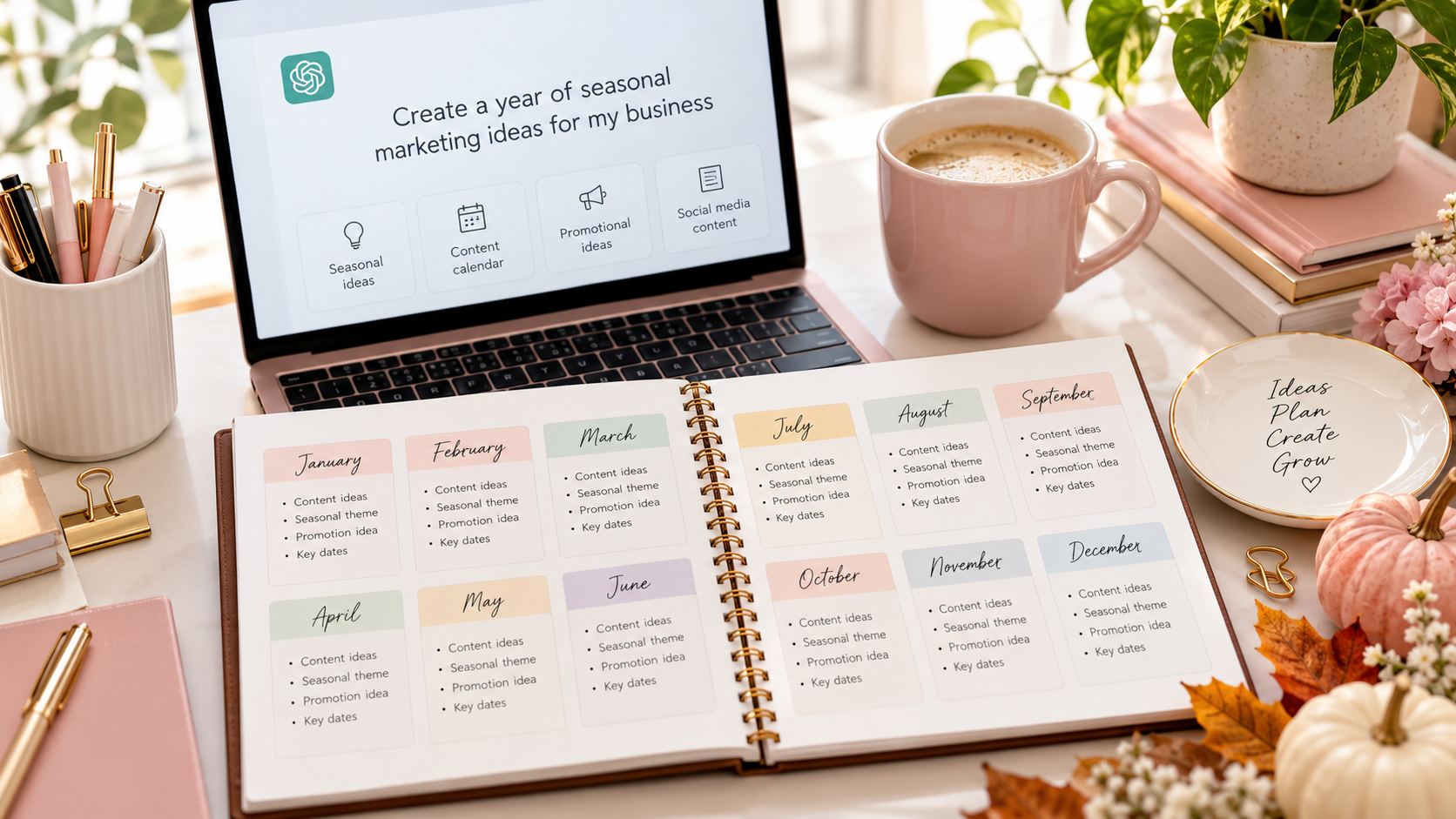
Stop wondering what to post every month. Learn how to use AI to plan 12 months of seasonal marketing ideas for your small business, without spending hours brainstorming or creating complicated marketing calendars.
You know that moment when you open Instagram, stare at the blank caption box, and realize you have absolutely no idea what to post?
Again.
Maybe you missed a holiday promotion. Maybe you forgot to plan something for the start of a new season. Or maybe you’ve been so busy taking care of clients that marketing your own business has slipped to the bottom of your to-do list.
Sound familiar?
When you’re running a service-based small business, you’re often the person delivering the services, answering emails, managing bookings, handling finances, and trying to attract new clients.
Coming up with fresh marketing ideas every week can feel like another full-time job.
But what if you could create an entire year’s worth of seasonal marketing ideas in one planning session?
With tools like ChatGPT, Claude, or Gemini, you can brainstorm seasonal campaigns, identify timely promotional opportunities, generate social media content ideas, and organize everything into a simple 12-month marketing calendar.
And you don’t need to be a marketing expert or know anything about complicated technology.
In this guide, I’ll show you how to use AI to plan seasonal marketing for your small business, including copy-and-paste prompts and 48 marketing ideas you can adapt to your services.
Why Seasonal Marketing Matters for Small Businesses
Seasonal marketing is about connecting your services with what’s happening in your customers’ lives throughout the year.
And no, seasonal marketing doesn’t mean you have to create a discount for every holiday.
Think about the different things people focus on throughout the year.
In January, they’re setting goals and getting organized.
In spring, they’re refreshing their homes, businesses, and routines.
During summer, they’re planning vacations, managing different schedules, or preparing for upcoming events.
In the fall, many people return to established routines and start planning for the end of the year.
Each season creates different needs, questions, priorities, and opportunities.
For example:
- A virtual assistant might promote business organization services in January and vacation coverage during summer.
- A bookkeeper might share financial organization tips at the beginning of the year and year-end preparation reminders in the fall.
- A business coach might offer goal-setting workshops in January and midyear progress reviews in June.
- A photographer might promote spring family sessions, graduation photos, and holiday portrait bookings.
- A cleaning business might create campaigns around spring cleaning, back-to-school routines, and holiday preparation.
The key is making your marketing relevant to what your ideal clients actually need.
AI can help you identify those opportunities before the season arrives.
Step 1: Tell AI About Your Business
Before you ask AI to generate 12 months of marketing ideas, give it some information about your business.
This is important.
If you simply type “Give me seasonal marketing ideas,” you’ll probably receive a generic list filled with holiday discounts, social media challenges, and promotional suggestions that may have nothing to do with your services.
Instead, tell AI what you offer, who your clients are, and what you want your marketing to accomplish.
Copy-and-Paste AI Prompt #1: Create My Business Marketing Profile
Act as a marketing strategist who specializes in helping women running small service-based businesses.
I want to create a year of seasonal marketing ideas for my business.
Here is my business information:
- Business type: [Your business]
- Services I offer: [List your services]
- Ideal customers: [Describe your customers]
- Business location or service area: [Location or online]
- Main marketing goal: [More inquiries, appointments, clients, or sales]
- Main marketing channels: [Instagram, Facebook, email, blog, etc.]
- Monthly marketing budget: [Amount]
- Time available for marketing each week: [Hours]
Create a short marketing profile I can use to plan seasonal campaigns.
Identify the main problems my customers need help solving and the seasonal events or changes that might make my services especially relevant.
Separate reasonable ideas from assumptions that need to be checked.
Review the response and correct anything AI gets wrong.
Then save your business profile. You’ll use it for the next step.
Step 2: Ask AI to Identify Your Seasonal Opportunities
Now it’s time to find the seasonal connections.
Many small businesses make the mistake of planning marketing around holidays alone.
But some of your best marketing opportunities may have nothing to do with traditional holidays.
For example, a business consultant might focus on quarterly planning, while a wedding photographer might plan around engagement and wedding booking seasons.
A home organizer might connect with spring cleaning and back-to-school routines.
Your marketing calendar should reflect the real buying patterns of your customers, not just dates on a calendar.
Copy-and-Paste AI Prompt #2: Find My Seasonal Marketing Opportunities
Using my business profile, identify seasonal marketing opportunities for all 12 months of the year.
Include:
- Relevant holidays and awareness events.
- Seasonal customer needs.
- Common problems customers experience during each season.
- Opportunities to promote my services.
- Educational content topics that would interest my audience.
Focus on events and opportunities that genuinely connect with my services.
Do not suggest random holiday promotions just to fill the calendar.
Present the results in a month-by-month table.
Flag any holiday dates, local events, or seasonal assumptions I should verify.
Quick tip: Tell AI which country or region your business serves. Seasonal timing, holidays, and customer behavior can vary depending on location.
Step 3: Generate 48 Seasonal Marketing Ideas for the Year
Here’s where things start getting useful.
Instead of asking AI to generate hundreds of random social media posts, create a simple structure.
Start with four marketing ideas per month.
That’s 48 ideas for the year.
You can organize those ideas into four categories:
- Educational content: Teach your audience something helpful.
- Behind-the-scenes or trust-building content: Show your process, experience, or expertise.
- Engagement content: Start conversations and learn what your audience needs.
- Promotional content: Explain how your services can help and invite people to work with you.
This gives your marketing variety without requiring you to come up with a brand-new strategy every week.
Copy-and-Paste AI Prompt #3: Build My 12-Month Content Calendar
Act as my small business content marketing assistant.
Based on my business profile and seasonal opportunities, create a 12-month marketing idea calendar.
For each month, generate four specific marketing ideas:
- One educational content idea.
- One trust-building or behind-the-scenes idea.
- One audience engagement idea.
- One promotional idea connected to my services.
For every idea, include:
- A suggested content headline.
- The seasonal connection.
- The problem or interest it addresses.
- A recommended format, such as an Instagram post, blog, email, or short video.
- A suitable call to action.
Keep the ideas practical for a solo service-based business owner with limited time and budget.
Avoid repetitive content, forced holiday connections, and unrealistic sales promises.
You now have a starting point for an entire year of marketing content.
And if AI produces an idea that doesn’t fit your business? Skip it.
The purpose isn’t to use every suggestion. It’s to build a collection of relevant ideas that you can turn into real marketing activities.
Your 12-Month Seasonal Marketing Idea Calendar
Need some inspiration before creating your own?
Here are 48 seasonal marketing ideas organized by month.
These are flexible starting points. Adjust them to match your services, customers, location, and business goals.
January: Fresh Starts and New Goals
January is a natural time to discuss new beginnings, planning, and organization.
- Educate: Share five ways your ideal clients can start the year more organized.
- Build trust: Show how you prepare your own business for a new year.
- Engage: Ask your audience what their biggest goal or challenge is for the year ahead.
- Promote: Introduce a planning session, consultation, or service that supports a fresh start.
February: Relationships and Customer Appreciation
February offers opportunities to focus on relationships, customer care, and connection.
- Educate: Share tips for improving customer relationships or reducing common frustrations.
- Build trust: Highlight genuine client feedback or an approved customer success story.
- Engage: Ask your audience what they appreciate most when working with a service provider.
- Promote: Explain how your services make your clients’ lives or businesses easier.
March: Spring Preparation and Fresh Ideas
Spring is a useful theme for refreshing routines, reviewing progress, and making improvements.
- Educate: Create a spring refresh checklist related to your services.
- Build trust: Share a behind-the-scenes look at a process you recently improved.
- Engage: Ask what part of your audience’s routine or business needs a refresh.
- Promote: Invite clients to book a spring review, service appointment, or project.
April: Organization and Productivity
April can be a good time to discuss simplifying systems and managing responsibilities.
- Educate: Share three ways customers can save time or stay organized.
- Build trust: Demonstrate a useful tool, process, or workflow you use.
- Engage: Ask your audience which recurring task they wish they could make easier.
- Promote: Highlight a service that helps clients simplify or delegate work.
May: Preparation and Upcoming Milestones
May offers opportunities to talk about preparing for summer, family events, and upcoming business milestones.
- Educate: Share a checklist for preparing for the next busy season.
- Build trust: Explain how you help clients plan ahead.
- Engage: Ask your audience what they’re looking forward to or preparing for.
- Promote: Encourage early booking for services that may be needed in the coming months.
June: Midyear Reviews and New Priorities
Halfway through the year is an opportunity to reassess goals and make adjustments.
- Educate: Publish a midyear progress checklist.
- Build trust: Share lessons you’ve learned from your own business this year.
- Engage: Ask which goal your audience wants to revisit before the second half of the year.
- Promote: Offer a midyear review, strategy session, or relevant service package.
July: Summer Schedules and Staying Consistent
Summer can bring vacations, changing routines, and different business demands.
- Educate: Share ways to maintain important routines during a busy or unpredictable season.
- Build trust: Explain how you keep projects organized during schedule changes.
- Engage: Ask what your audience finds most challenging about their summer routine.
- Promote: Highlight a service that saves clients time or provides extra support.
August: Getting Back Into a Routine
August is a useful time to begin conversations about planning, organizing, and preparing for fall.
- Educate: Create a back-to-routine checklist.
- Build trust: Show your favorite system for keeping work or appointments organized.
- Engage: Ask what your audience wants to improve before the final months of the year.
- Promote: Introduce services that help clients prepare for upcoming responsibilities.
September: Fall Reset and Renewed Focus
September can create an opportunity to reconnect with customers who are returning to familiar routines.
- Educate: Share three ways to finish the year with more focus.
- Build trust: Show how you plan or manage client projects.
- Engage: Invite followers to share one priority for the next three months.
- Promote: Encourage bookings for fall projects, consultations, or services.
October: Fourth-Quarter Planning
October is a practical time for discussing year-end preparation and upcoming deadlines.
- Educate: Share a checklist of tasks to complete before the end of the year.
- Build trust: Explain how your process helps clients stay prepared.
- Engage: Ask what your audience still hopes to accomplish before December.
- Promote: Highlight services that help customers prepare for year-end demands.
November: Gratitude and Customer Relationships
November offers natural opportunities for appreciation, relationship building, and holiday preparation.
- Educate: Share tips to help your audience prepare for end-of-year responsibilities.
- Build trust: Highlight a meaningful business milestone or thank your customers.
- Engage: Invite your audience to recognize a small business or professional they appreciate.
- Promote: Explain your holiday availability, giftable services, or booking opportunities where relevant.
December: Reflection and Planning Ahead
December is a chance to celebrate progress, share lessons, and prepare for the next year.
- Educate: Publish an end-of-year checklist for your ideal clients.
- Build trust: Share your business lessons, accomplishments, or favorite moments from the year.
- Engage: Ask your audience what they’d like to do differently next year.
- Promote: Invite customers to schedule services or consultations for the coming year.
That’s 48 marketing ideas without needing to invent a completely new theme every week.
And remember: you don’t need to publish all 48. Choose the ideas that best support your business and the time you actually have available.
Step 4: Turn Your Seasonal Ideas Into a Simple Marketing Calendar
Once you’ve generated your ideas, you need somewhere to organize them.
A spreadsheet, Google Calendar, or simple planning document is enough.
You don’t need expensive project management software.
You can ask AI to turn your brainstorming notes into a calendar-ready table.
Copy-and-Paste AI Prompt #4: Organize My Marketing Calendar
Take the seasonal marketing ideas we created and organize them into a practical annual marketing calendar.
I can dedicate [number] hours per week to marketing.
My main marketing platforms are [platforms].
Create a table with:
- Month
- Seasonal theme
- Content title
- Suggested publishing week
- Content format
- Marketing objective
- Call to action
- Preparation deadline
Schedule time-sensitive promotions early enough for customers to take action.
Keep the workload manageable, and identify which content ideas should be prioritized if I have limited time.
Important: You don’t have to build every post right now.
Having your ideas planned for the year is already useful. You can create the actual content monthly or quarterly.
Step 5: Ask AI to Turn Each Idea Into Multiple Pieces of Content
Here’s one of my favorite ways to make marketing planning easier.
You don’t need to create something completely different for every platform.
One good marketing idea can become several pieces of content.
For example, let’s say you’re a virtual assistant and your April marketing theme is simplifying business operations.
Your original idea is:
“Five Administrative Tasks Business Owners Should Stop Doing Themselves.”
You could turn that into:
- A blog post explaining the five tasks.
- An Instagram carousel featuring one task per slide.
- A short Facebook post asking which task takes the most time.
- An email newsletter with practical delegation tips.
- A LinkedIn post about the value of administrative support.
- A promotional post explaining how your virtual assistant services help.
That’s six content opportunities from one core topic.
AI can help draft and adapt each version.
Copy-and-Paste AI Prompt #5: Repurpose My Marketing Content
Act as my content repurposing assistant.
My service business is [business type].
My ideal audience is [audience].
My seasonal content idea is [idea].
Turn this idea into:
- One educational Instagram or Facebook post.
- One short email newsletter.
- One blog post outline.
- One engagement question.
- One service-focused promotional post.
Keep the tone friendly, helpful, clear, and professional.
Make each piece suitable for its platform instead of repeating the same copy.
Include a natural call to action.
Avoid exaggerated claims, generic motivational language, or invented customer stories.
You can repeat this process with your strongest ideas throughout the year.
The goal isn’t to flood every platform with content.
It’s to get more use out of the ideas you’ve already created.
Step 6: Use AI to Plan Seasonal Promotions
Seasonal marketing isn’t limited to social media content.
You can also use your calendar to plan promotional campaigns that encourage people to inquire about your services.
For example:
- A business coach could promote a January goal-setting session.
- A home organizer could feature a spring decluttering service.
- A virtual assistant could promote summer business coverage.
- A photographer could open fall family session bookings.
- A bookkeeper could share year-end financial organization services.
Notice that none of these necessarily requires a discount.
You’re simply connecting an existing service to a timely customer need.
Copy-and-Paste AI Prompt #6: Create a Seasonal Promotion
Help me develop a simple seasonal marketing campaign for my service business.
My business: [business]
My target audience: [audience]
My service: [service]
Seasonal theme: [theme]
Campaign goal: [goal]
Budget: [amount]
Create a two-week campaign that includes:
- A campaign name.
- The seasonal customer need being addressed.
- Three social media post ideas.
- One email announcement.
- One educational content idea.
- A clear call to action.
- A simple way to measure the results.
Keep the campaign realistic for a solo business owner.
Do not automatically recommend discounts or paid advertising.
Once you have your campaign outline, review it and decide which activities are actually worth doing.
You may discover that one helpful email and two well-planned social posts are more realistic than an elaborate campaign with daily content.
That’s perfectly fine.
Consistency doesn’t require doing everything.
Step 7: Review Your Marketing Calendar Every Quarter
A year-long marketing calendar should give you direction, not lock you into a rigid schedule.
Your business will change.
Your customers’ needs may change.
Some ideas will work better than others.
That’s why I recommend reviewing your calendar every three months.
Look at what you’ve published, what generated meaningful interest, and which services customers are asking about.
Useful things to track include:
- Website visits to your service pages.
- Inquiries from potential customers.
- Discovery calls or appointments booked.
- Email replies and clicks.
- Content that generated relevant questions.
- Services customers expressed interest in.
Then ask AI to help you identify patterns.
Copy-and-Paste AI Prompt #7: Review My Marketing Results
Act as a small business marketing analyst.
Review the following marketing results from the past three months:
[Paste your marketing activities, inquiries, bookings, website traffic, or other available results.]
Help me identify:
- Which marketing topics attracted the most relevant interest.
- Which activities generated inquiries or bookings.
- Which campaigns may need improvement.
- Which ideas are worth repeating.
- What adjustments I should make to next quarter’s seasonal marketing calendar.
Base your observations on the actual data provided.
Identify anything we cannot confidently conclude from the information available.
You don’t need sophisticated analytics.
Even a simple record of inquiries, bookings, and customer questions can help you decide what to focus on next.
Common Mistakes to Avoid When Using AI for Seasonal Marketing
AI can make marketing planning easier, but it still needs your judgment.
Here are a few mistakes worth avoiding.
1. Trying to Use Every Holiday
Not every holiday is relevant to your business.
If a holiday has nothing to do with your services or customers, don’t force a promotion.
Choose opportunities that genuinely make sense.
2. Creating Too Much Content
AI can generate 100 ideas in seconds.
That doesn’t mean you need to publish 100 posts.
Start with a schedule you can maintain alongside client work.
3. Publishing AI Content Without Editing
AI-generated content can sound repetitive or generic.
Before publishing, add your own experience, examples, opinions, and personality.
Your customers want to understand why they should work with you—not read another interchangeable marketing post.
4. Forgetting to Promote Your Services
Educational content is helpful, but your audience also needs to know what you offer.
Include occasional posts that explain your services, answer buying questions, and show people how to get started.
5. Trusting Every AI Suggestion
AI can suggest incorrect holiday dates, seasonal assumptions, or marketing opportunities that don’t fit your customers.
Verify important information and use your own business knowledge.
Also, avoid uploading confidential client details or personal information into AI tools without appropriate permission and safeguards.
AI should support your decisions, not make every decision for you.
A Simple Way to Get Started This Week
You don’t have to complete your entire annual marketing calendar in one sitting.
Here’s a manageable starting plan.
Day 1: Define your business and audience.
Use the first AI prompt to create your marketing profile.
Day 2: Brainstorm seasonal opportunities.
Ask AI to identify relevant monthly themes and customer needs.
Day 3: Generate your marketing ideas.
Create four ideas per month, giving yourself 48 possibilities for the year.
Day 4: Choose your priorities.
Remove ideas that don’t fit. Focus on topics connected to your services and customer needs.
Day 5: Organize your next month.
Choose your first four ideas, assign publishing dates, and ask AI to help draft the content.
By the end, you’ll have a year-long idea bank and a manageable plan for your first month.
No complicated software.
No expensive marketing agency.
No staring at a blank screen wondering what to post.
Final Thoughts: Let AI Handle the Brainstorming, Not Your Entire Marketing Strategy
Running a service-based business already requires wearing enough hats.
Marketing shouldn’t mean constantly scrambling to think of something clever to post.
With a little business information and the right AI prompts, you can create a full year of seasonal marketing ideas, organize them into a calendar, and turn your strongest topics into useful content and promotions.
You don’t need 365 original posts.
You need relevant ideas, a clear connection to your services, and a marketing routine you can maintain.
Start with 12 months, four ideas per month, and one simple plan.
Then use AI to make the process easier as your business grows.
Want More Ways to Use AI in Your Small Business?
If you’re ready to use AI for more than brainstorming social media posts, I’ve got something for you.
The Savvy Back Office Free Biz Rescue Kit includes 25 ready-to-use AI workflows designed to help service-based small business owners tackle common problems with marketing, sales, content, offers, and everyday business decisions.
No coding. No expensive tech. Just practical workflows you can use with AI tools like ChatGPT, Claude, or Gemini.
Get Your Free AI-Powered Biz Rescue Kit Here
And if you’d like to take your marketing planning a step further, read How to Create a Marketing Plan for Your Service Business With AI for another practical, step-by-step guide.
Because growing your business shouldn’t require doing everything the hard way.